
Point of sale for shops in Pakistan
Bill faster. Know your stock. See your real profit.
Trisoftic POS runs your counter, your stock, your udhaar and your accounts in one place. It speaks Urdu, it keeps working without internet, and it is supported by our team in Lahore.
- Works offlineKeeps billing when the internet drops, then syncs
- English and UrduUrdu product names on screen and in search
- Keyboard firstEvery action has a shortcut, from F9 to pay to Esc to clear
- Desktop and webTill on the counter, reports from anywhere
Screens on this page show sample data.
A counter that keeps up with the queue
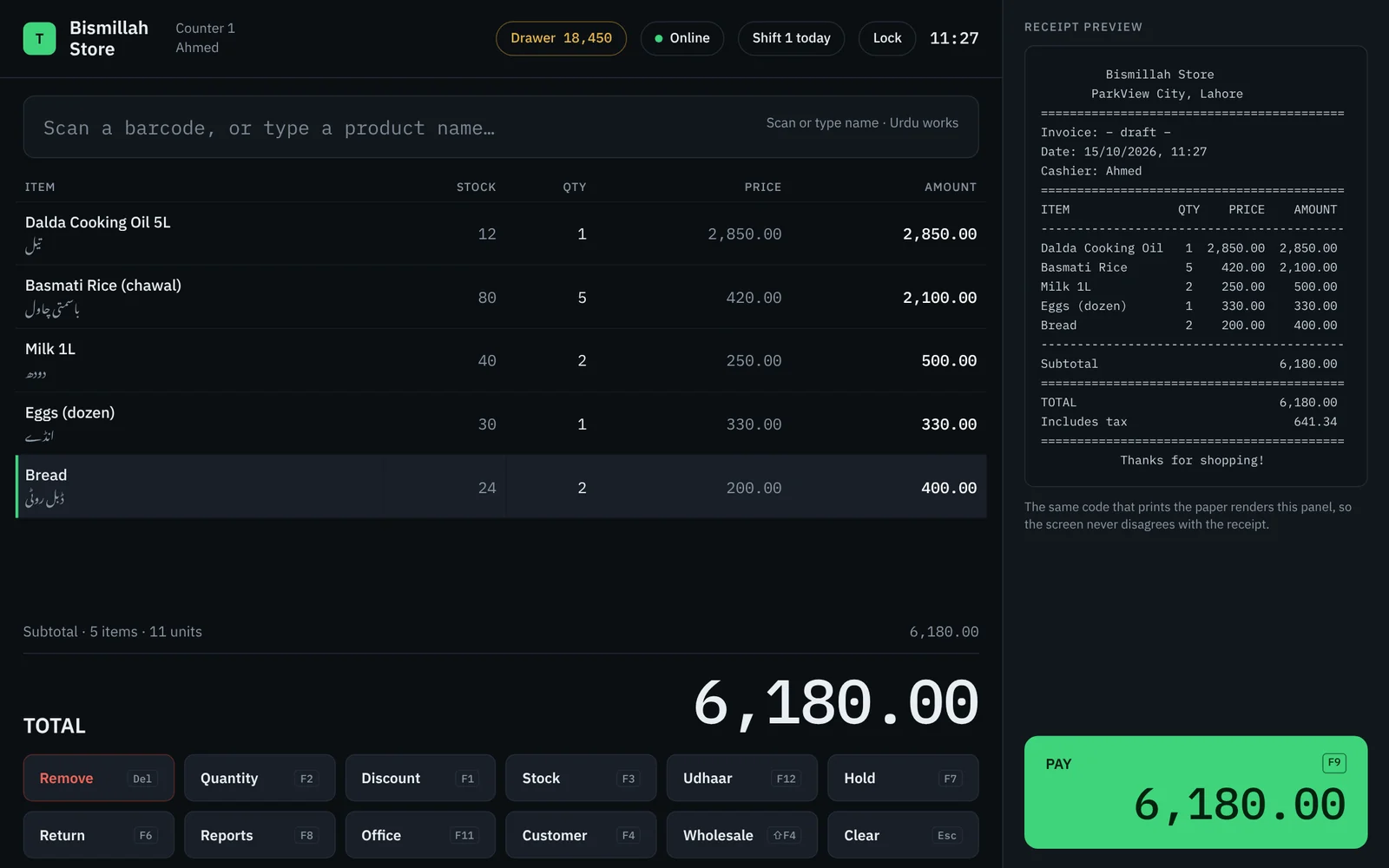
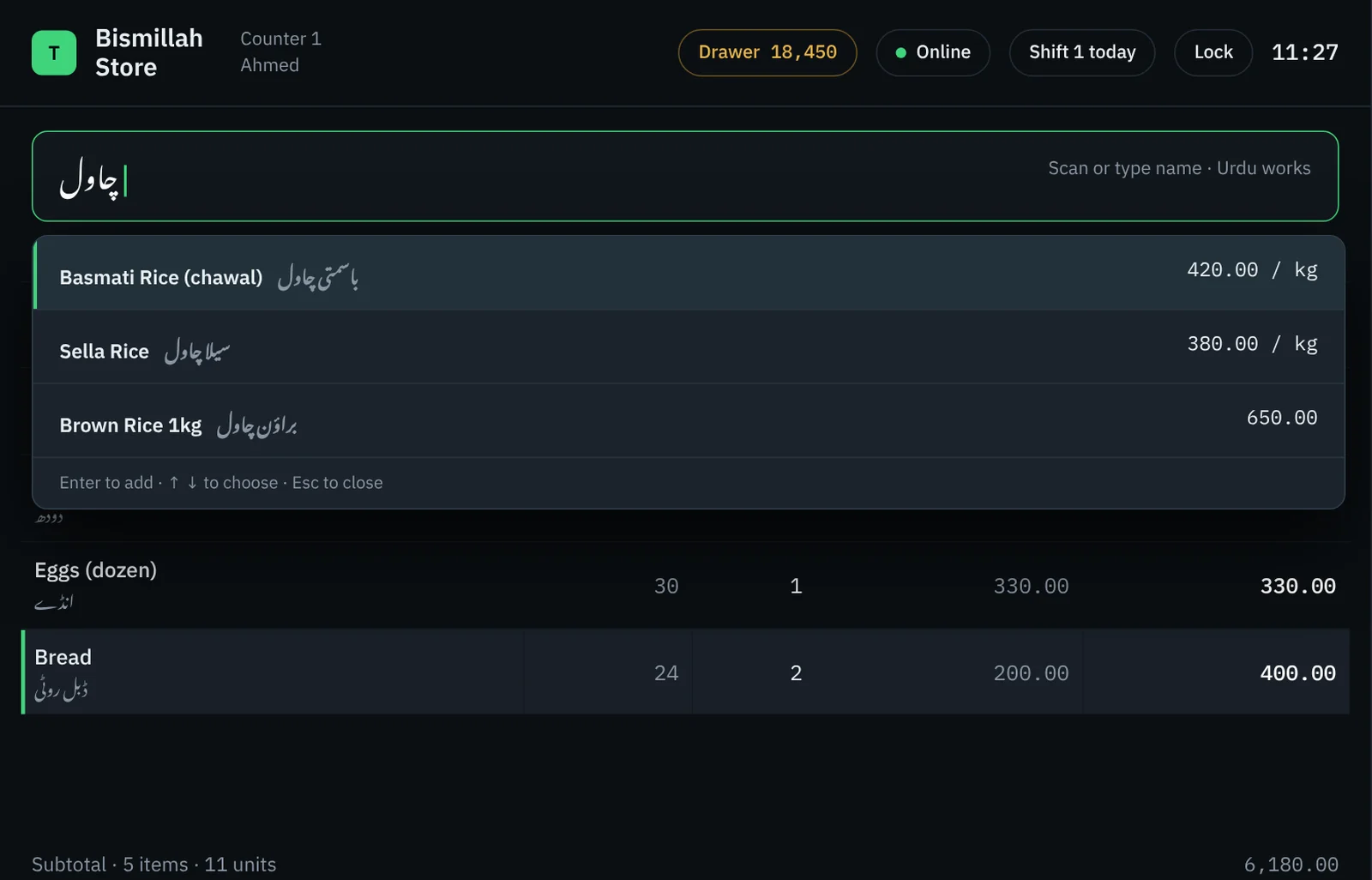
Scan a barcode or type a few letters of the product name, in English or Urdu, and it is on the bill. The receipt preview updates as you go, and it is drawn by the same code that prints the paper, so the screen never disagrees with the receipt.
- Change quantity, give a line or bill discount, and pay with a single key
- Hold a bill for a customer who stepped away and come back to it later
- Returns, exchanges and wholesale prices built in
- Tax worked out and shown on every receipt
Stock you can explain, not just count
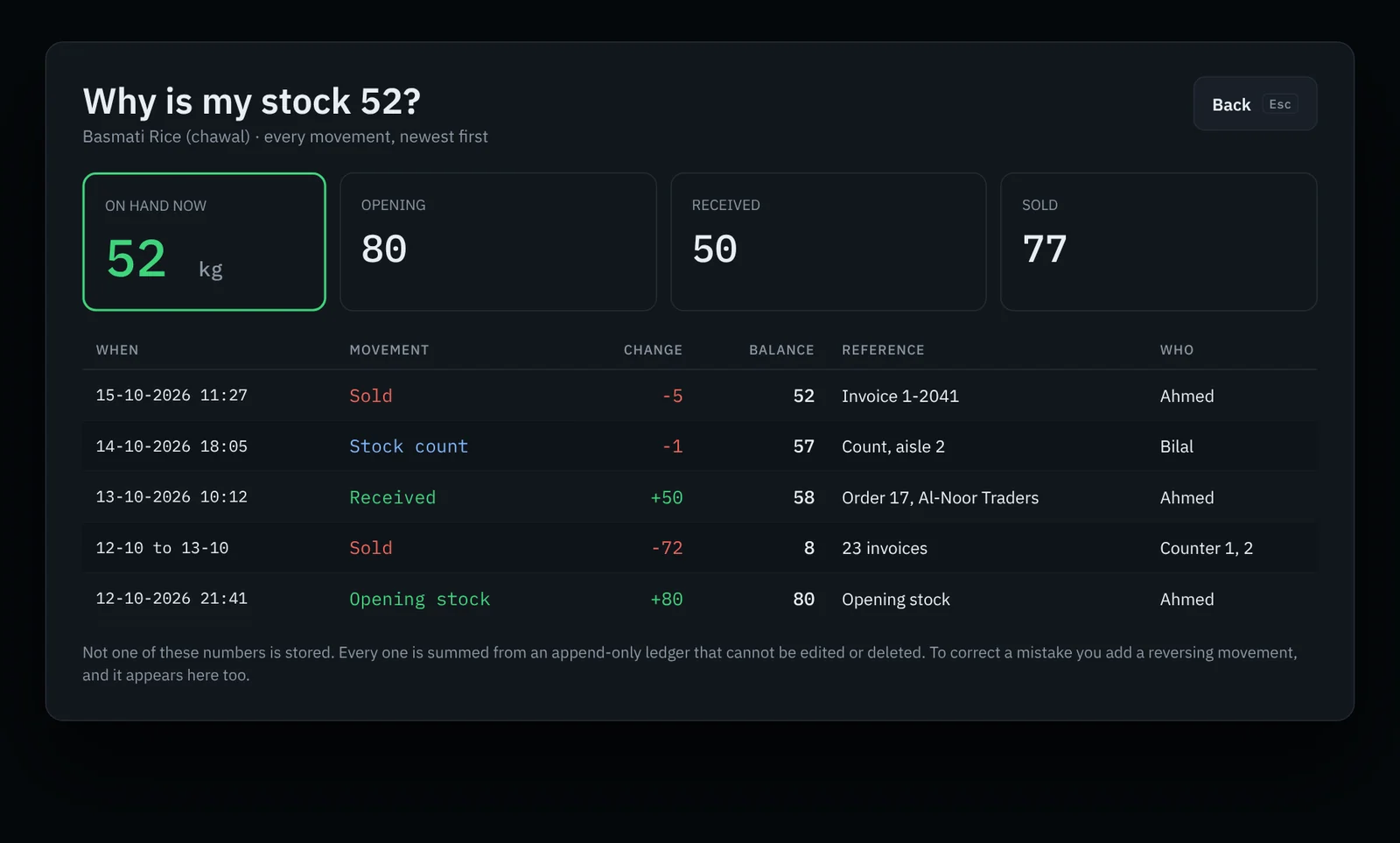
Ask "why is my stock 52?" and get the answer: every sale, delivery and count, newest first, with who did it. Stock is never typed over. Every number is added up from a ledger that cannot be edited or deleted, so mistakes are fixed with a reversing entry you can see.
- Opening stock, goods received, sales and counts in one history
- Stock counts to correct the figures, recorded in the history
- Low-stock list with days left and how much to order
- Expiring stock report so nothing goes to waste
Your real profit, any day or month
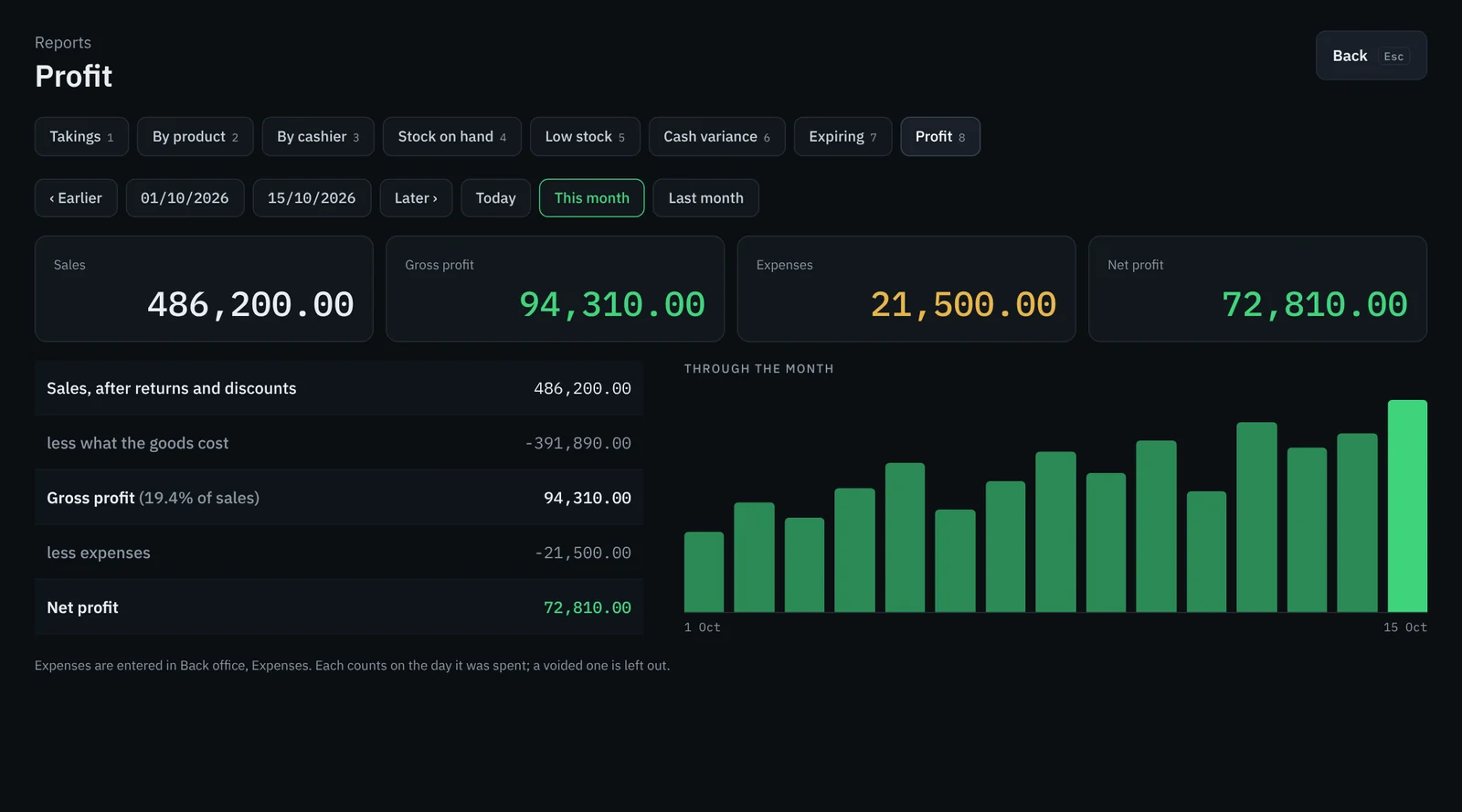
Sales minus what the goods cost, minus the expenses you paid, for today, this month or any dates you choose. No end-of-month spreadsheet.
- Takings and how customers paid, through the day
- Sales by product and by cashier
- Cash variance when the drawer is closed
- Expenses from the drawer or from outside, each on the day it was spent
A back office that runs the whole shop
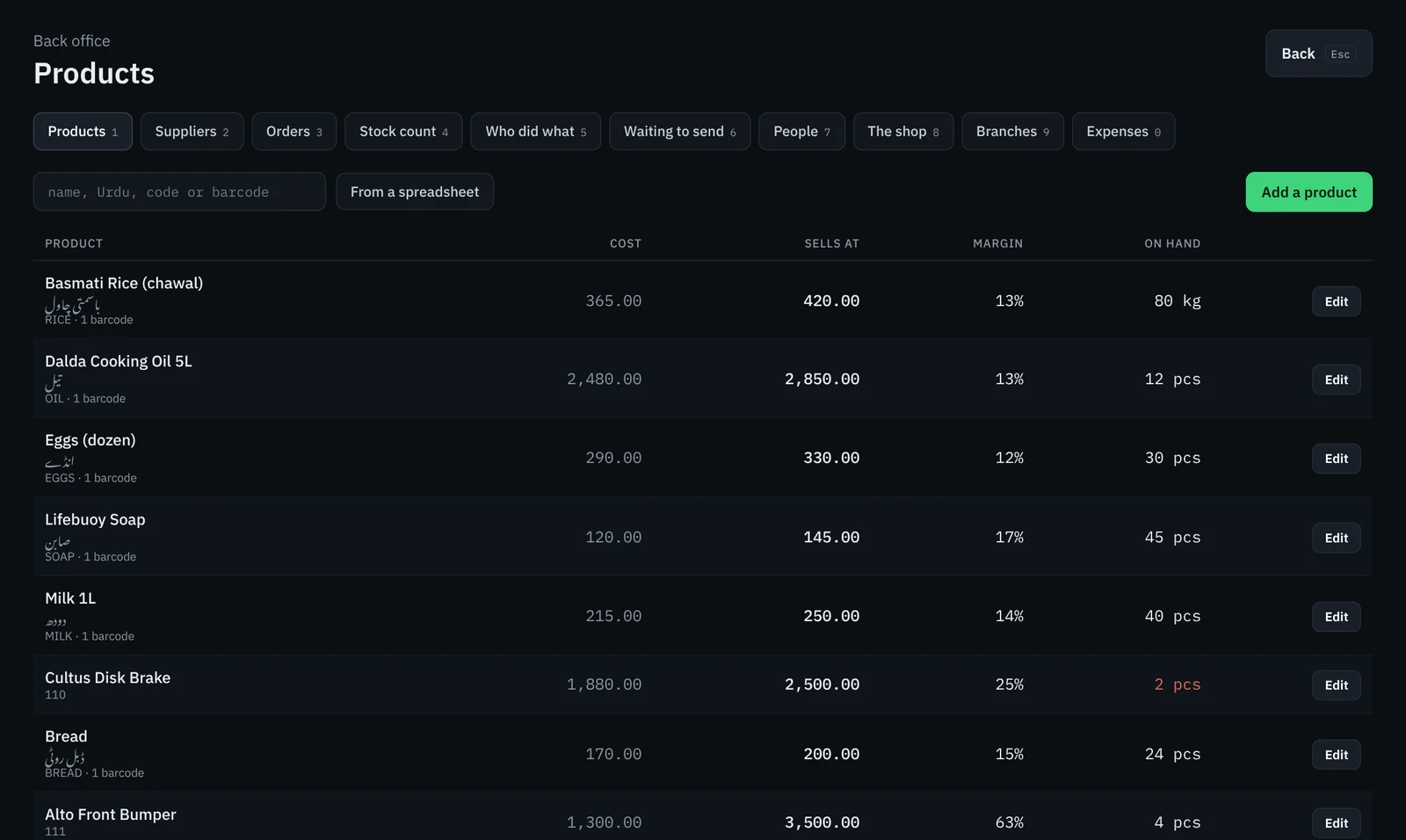
Add products one by one or bring them in from a spreadsheet, with cost, selling price and margin side by side. Manage suppliers and orders, staff and branches from the same place.
- Products with Urdu names, codes and barcodes
- Suppliers and purchase orders
- "Who did what": a full record of every action by every user
- Multiple branches with stock transfers between them
Made for how shops in Pakistan work
Built around the things generic POS software gets wrong for local retailers.
Udhaar, tracked properly
See who owes what, how much has been out for more than 90 days, and each customer's full udhaar history.
No internet, no problem
The till never waits for the connection. Sales queue up and send themselves when you are back online.
A PIN for every cashier
Each person signs in with their own PIN. Five wrong tries lock the account for five minutes, and a manager can unlock it at the counter.
Shifts and the cash drawer
Open a shift, see the drawer total live, and close the till with a cash variance report.
Kiryana to auto parts
Sell by the piece or by the kilo, with wholesale prices for trade customers.
Help from people nearby
Setup, product import, staff training and support from our team in ParkView City, Lahore.
Questions shop owners ask
Does it work when the internet goes down?
Yes. The till keeps billing offline. Sales wait in a queue on the computer and are sent automatically when the connection comes back, so you never stop serving customers.
Can I enter product names in Urdu?
Yes. Every product can have an Urdu name, it shows under the English name on the bill, and cashiers can search in Urdu as well as English.
Does it work with barcode scanners and receipt printers?
It is built for barcode scanning and printed receipts. Tell us the scanner and printer you use, or plan to buy, and we will confirm before you start.
Can I see my business when I am not at the shop?
Yes. The web version lets owners check sales, stock and reports from anywhere.
I have more than one shop. Will it work?
Yes. You can open more branches and send goods between them. Anything sent but not yet received is shown against the transfer, so stock never goes missing between shops.
How do I get started?
Book a free demo. We set it up with your products, train your staff and stay available for support from our office in Lahore.
Book a free demo
Tell us about your shop: what you sell, how many counters and branches you have. We will get back to you to arrange a demo.
-
Phone+92 345 2924177
-
WhatsAppSend us a message
-
Office101 Rose Commercial Basement, ParkView City, Lahore